Stick Soccer 3D is a fast stick-figure soccer game with quick 3D matches. Try the Stick Soccer 3d game for thrilling goals, dribbles, and nonstop fun.
Mastering the Core Controls in Stick Soccer 3D
Movement and Positioning
Stick Soccer 3D uses an on‑screen joystick to move the active player across the pitch. The joystick responds to gentle nudges for precise dribbling and full pushes for rapid sprints. Positioning the player near the ball is the first step toward creating scoring chances.
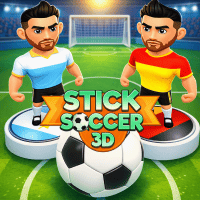
Realistic and engaging visuals in Stick Soccer 3D
Shooting, Passing and Set Pieces
The game provides three main action buttons. One button triggers a standard pass, another launches a shot, and a third initiates a free‑kick or penalty. When a set piece is active, a power meter appears. Timing the release determines the strength and trajectory of the ball.
- Tap the pass button to send the ball to a teammate.
- Use the shoot button to fire the ball toward the goal.
- Swipe during a free‑kick to add curve.
- Use the tackle button to challenge an opponent.
Exploring Game Modes and Progression
Quick Match for Immediate Action
The Quick Match option drops you into a single game against an AI opponent. This mode is ideal for testing new strategies or practicing specific skills without the pressure of a tournament.
Tournament Play and Unlockable Content
In Tournament mode, you advance through a bracket of increasingly difficult teams. Winning matches awards points that unlock additional stadiums, ball designs, and player skins. Each new arena offers a slightly different visual perspective, keeping the experience fresh.
Training Sessions for Skill Development
The Training mode isolates core mechanics such as shooting accuracy, free‑kick placement and defensive timing. Completing training drills grants bonus points that can be applied toward team upgrades.
- Practice shooting from various distances
- Work on free‑kick precision with moving targets.
- Improve defensive timing by mastering the tackle button.
Tips for Winning Matches and Tournaments
Control the Midfield
Dominating the midfield gives you more opportunities to launch attacks. Keep the ball moving with short passes and use the joystick to create space for a forward run.
Use Power Meter Wisely
During a free‑kick, aim for the corners of the goal. A moderate power level often yields a more accurate shot than a maximum charge. Adjust the curve by swiping gently to bend the ball around the wall.
Defensive Positioning Reduces Scoring Chances
When the opponent approaches the penalty area, pull the joystick back to retreat and line up a tackle. Timing the tackle button just before the opponent makes contact with the ball increases the chance of a successful challenge.
- Maintain a balanced formation with at least one defender near the goal line.
- Press the tackle button only when the opponent is within striking distance.
- Recover quickly after a tackle to keep the defensive shape intact.